Give your Mac room to breathe.
Caches, logs and app leftovers quietly eat 10–30 GB of a typical Mac. Freshist finds them, shows you every file first, and moves them to the Trash — never behind your back.
Launch price$19 $9 — for a limited time

- Notarized by Apple
- Lifetime updates
- 14-day refund
- Free trial
- See the tools
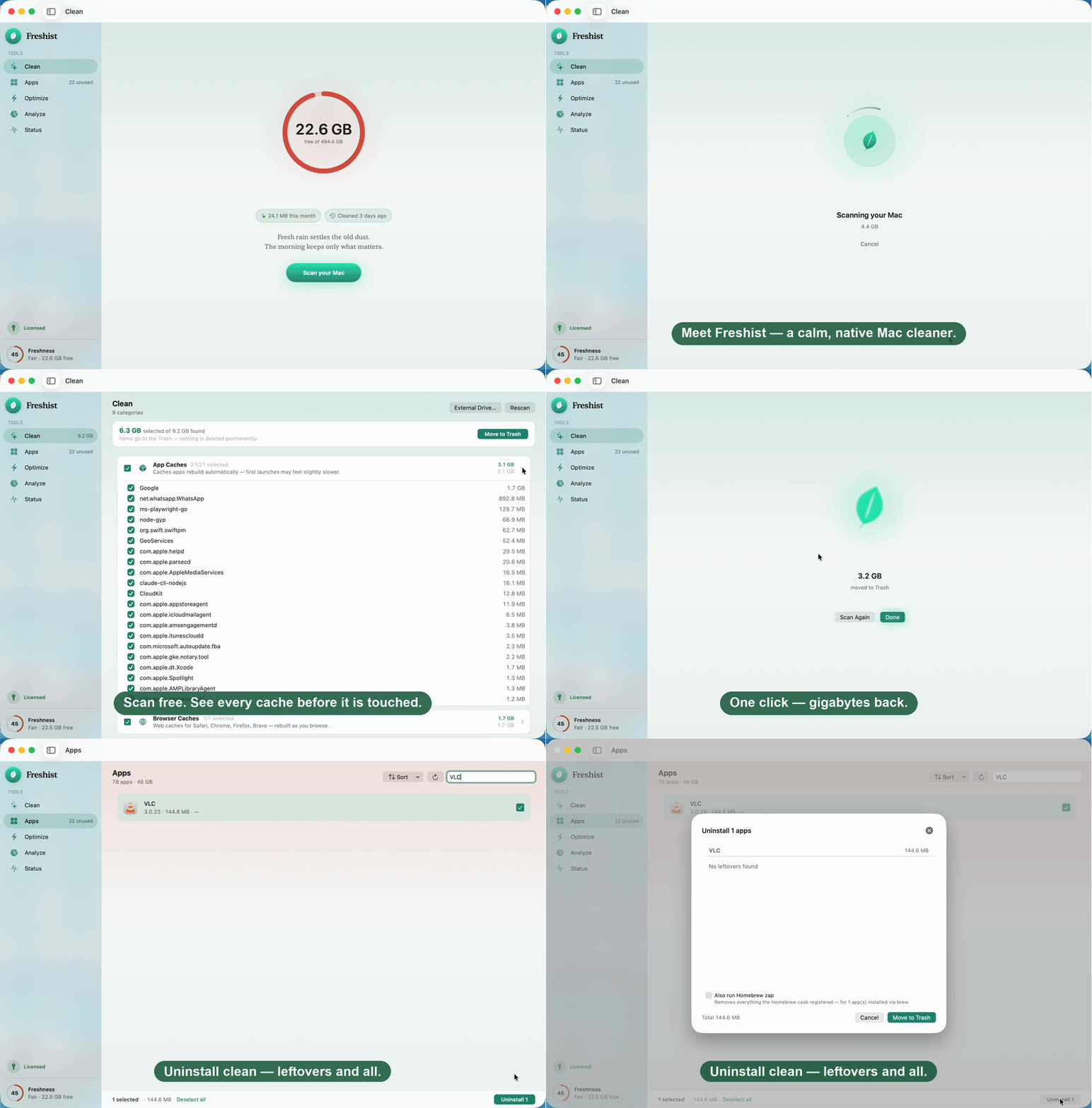
Everything your Mac needs. Nothing it doesn't.
Freshist replaces a drawer full of utilities with one native app — each tool built around the same promise: show you everything, decide nothing for you.
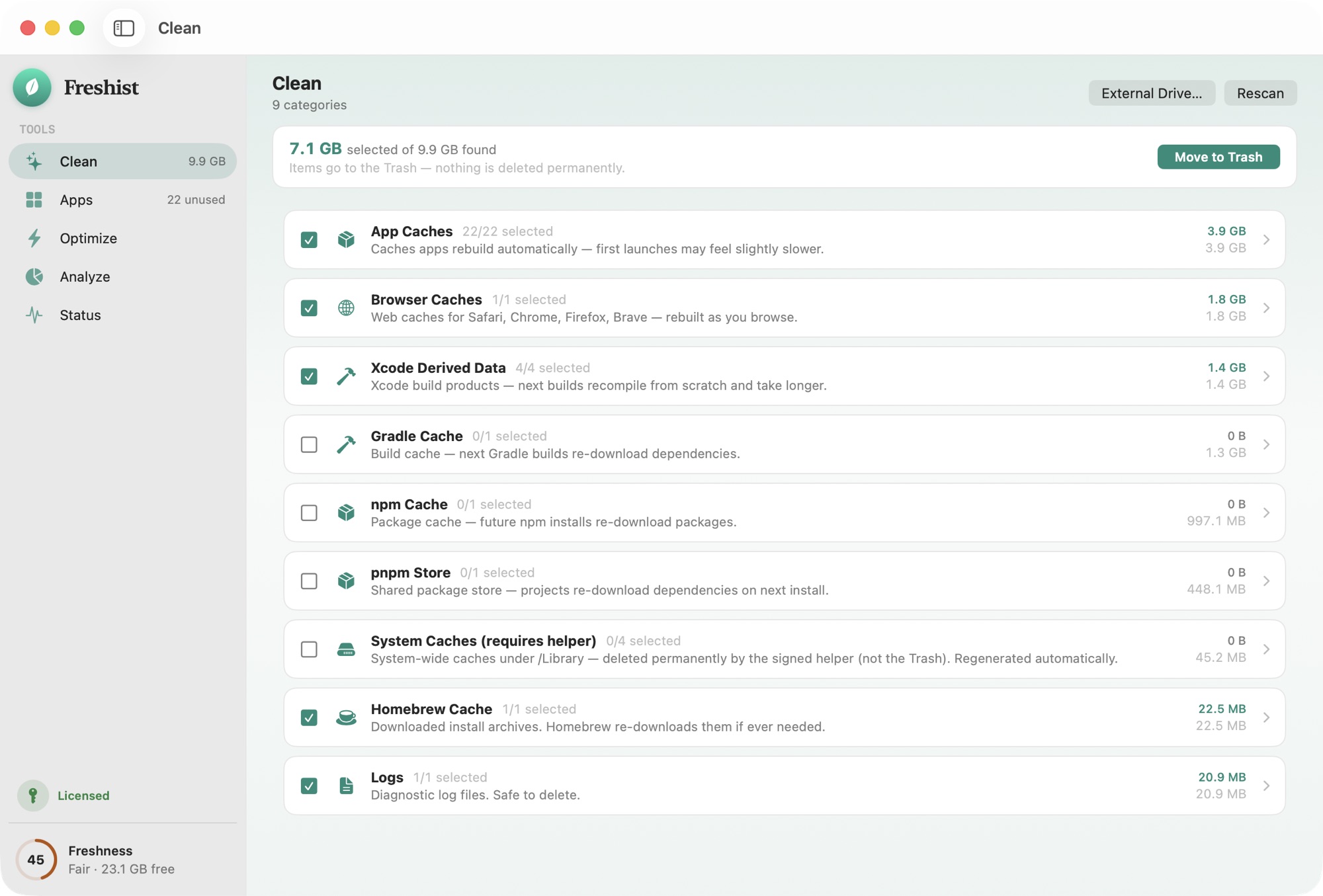
Reclaim the space your Mac forgot.
“Fresh rain settles the old dust.”
Caches, logs, language files, broken downloads and heavy developer junk — Xcode derived data, npm, Homebrew. Freshist finds what's safe to clear and lists every byte before it moves.
- System, app & browser caches
- Developer junk (Xcode, npm, pnpm, uv)
- Safe picks pre-selected — you review every byte
Uninstall completely — leftovers and all.
“Pull the root, not just the leaf.”
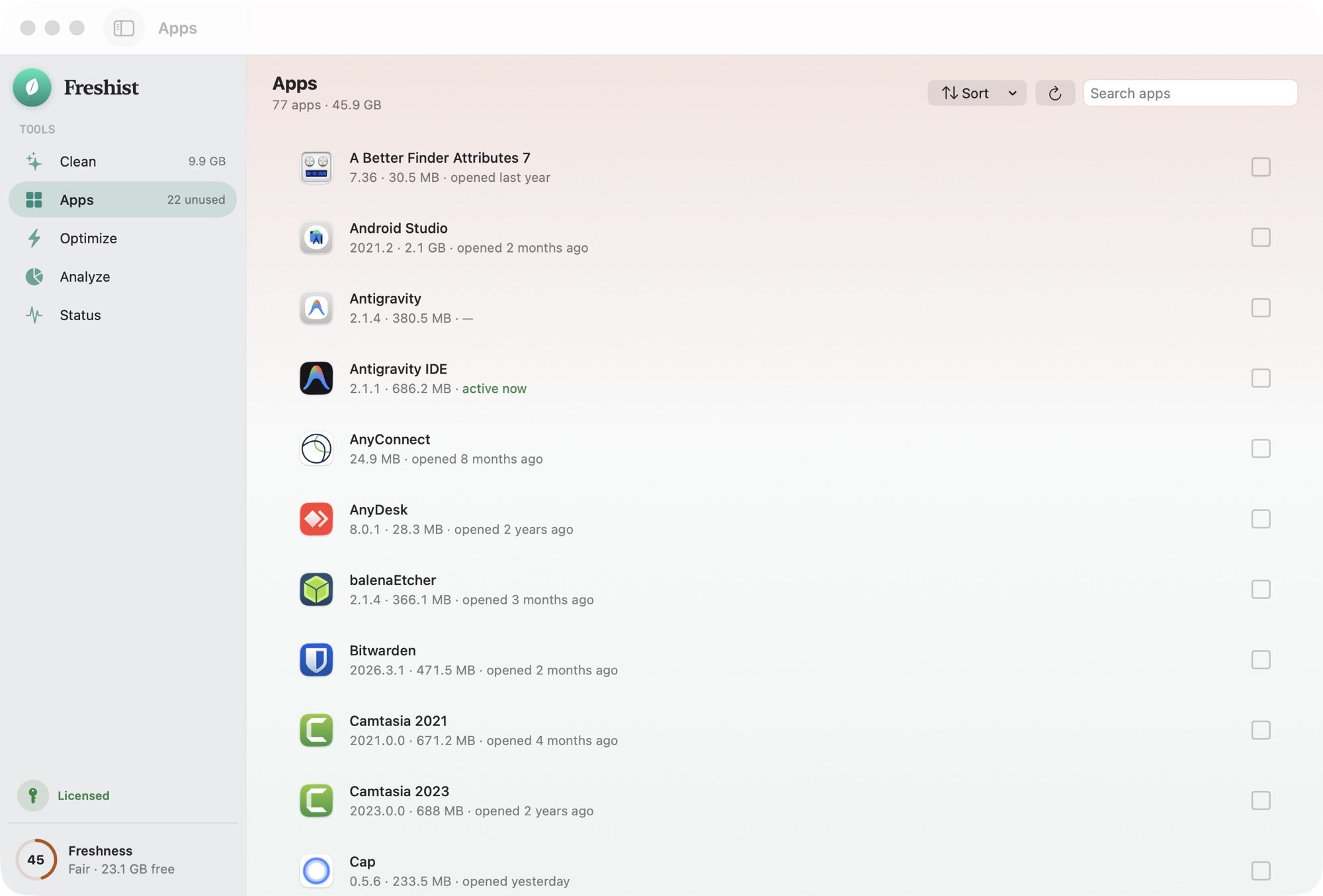
Dragging an app to the Trash leaves support files, caches and preferences scattered across your disk. Freshist finds every related file so an uninstall is actually an uninstall.
- Finds all related files per app
- Reclaim space from apps you forgot
- Review the full list before removing
A lighter, cooler, quicker machine.
“A small breeze turns the mill.”
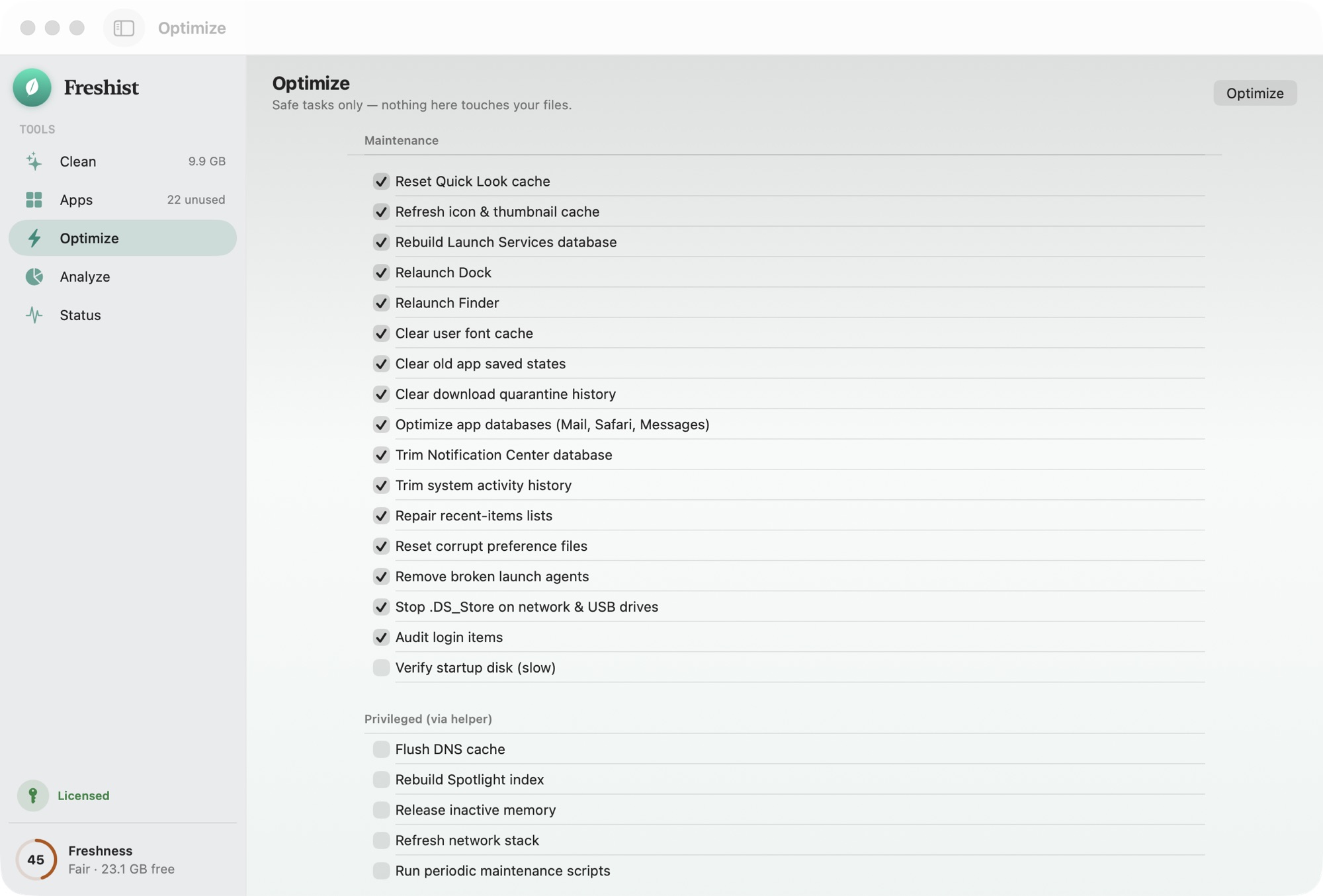
Free inactive memory, flush the DNS cache, run macOS maintenance scripts and calm down runaway background work — one tap, plain-language results.
- Free up memory pressure
- Run macOS maintenance safely
- Clear, honest before/after numbers
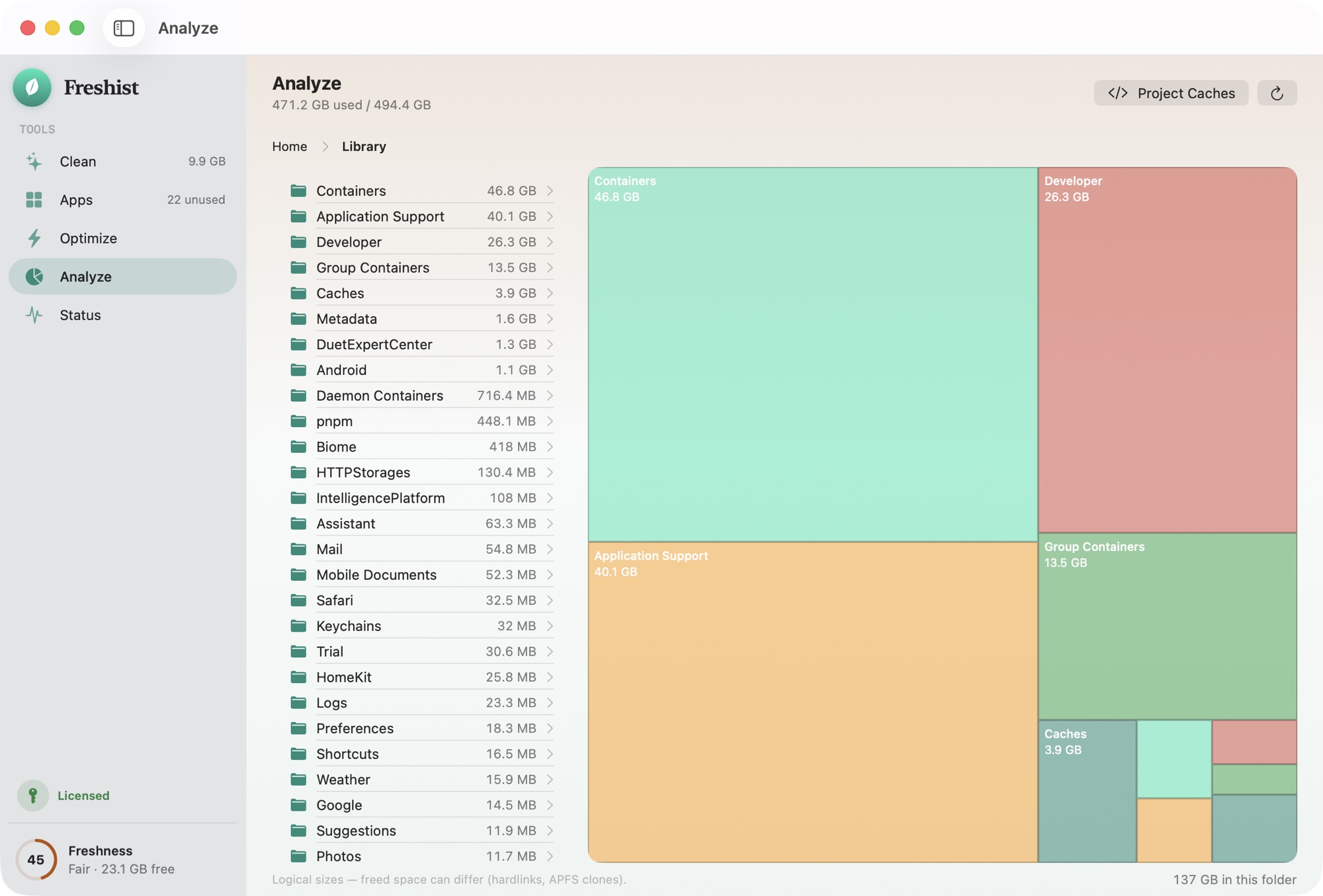
See where your disk really went.
“The river maps every hidden valley.”
An interactive treemap of your storage, hardlink-aware so nothing is double-counted. Spot the forgotten 40 GB folder in seconds, then act on it — safely.
- Interactive storage treemap
- Hardlink-aware size accounting
- Drill into the biggest offenders
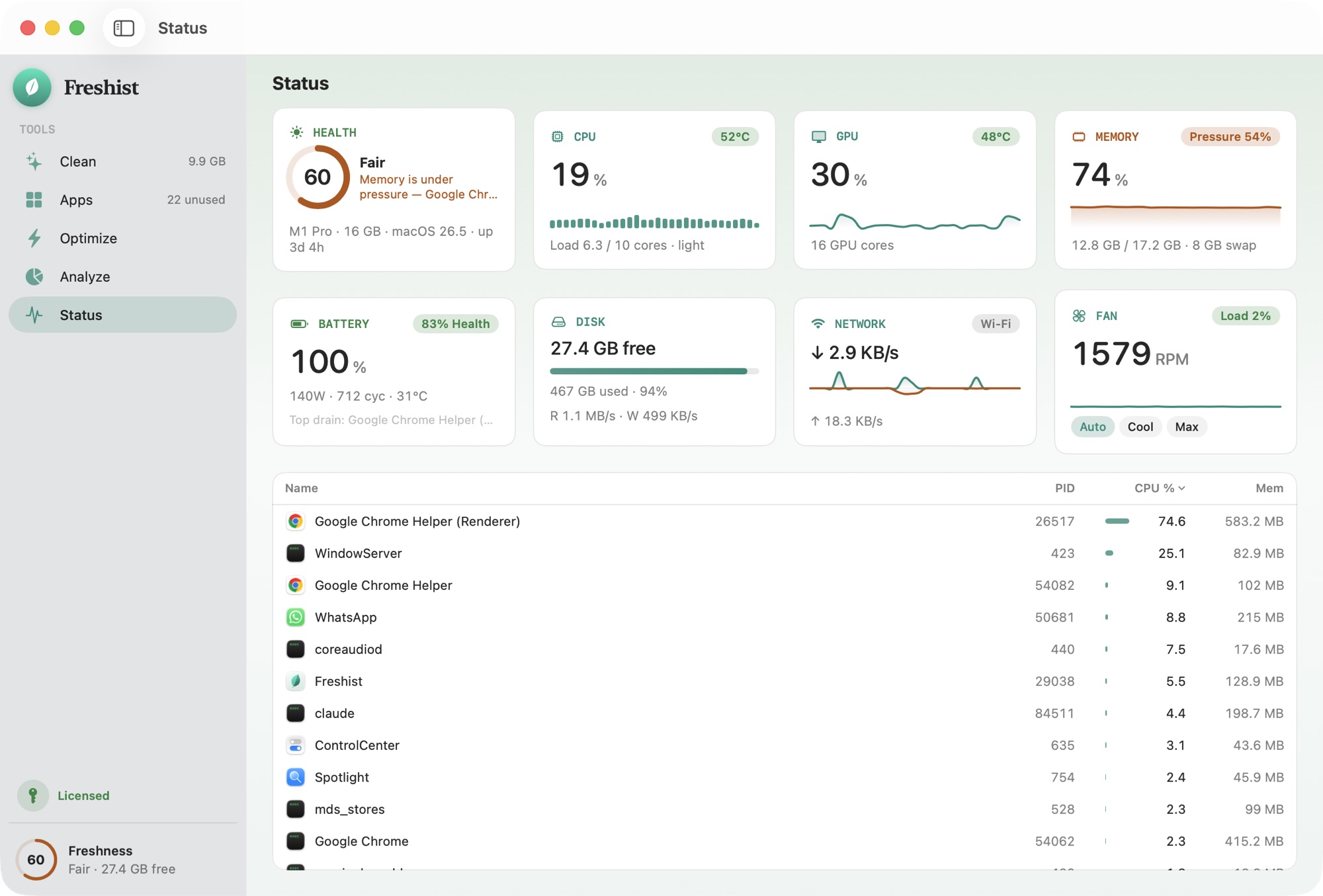
Your Mac's vitals, at a glance.
“The mountain air, read in numbers.”
A live bento dashboard — health score, CPU, GPU, memory pressure, battery, disk, network and fan — plus the processes actually using your machine right now.
- Live CPU / GPU / memory / battery
- Disk, network & fan at a glance
- Top processes by CPU, power & RAM
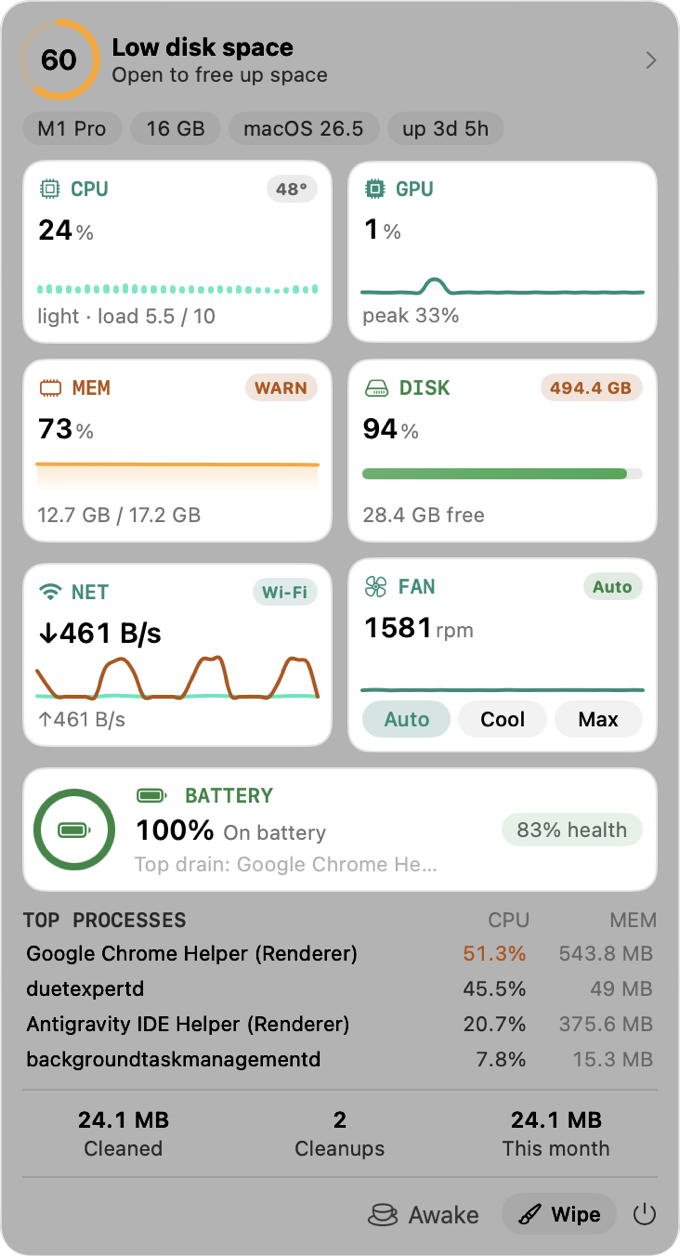
Your Mac's pulse, one click away.
“A quiet lookout, always on watch.”
The HUD lives in your menu bar with live CPU, GPU, memory, disk, network and battery — plus real controls: take the fans to Cool or Max, keep the screen awake, eject every drive in one click.
- Live vitals without opening a window
- Fan presets — Auto, Cool and Max
- Keep Screen On & one-click Eject All
Small powers, thoughtfully done.
The details that turn a maintenance app into one you actually keep in your menu bar.
Clean Screen
A calm, distraction-free full-screen wipe with a gentle dissolve animation.
Run Doctor
A one-tap full-system checkup that reports what needs attention — and what doesn't.
Privacy Check
See at a glance which apps are using your camera and microphone right now.
Menu-bar HUD
Your Mac's vitals live in the menu bar. Open the HUD popover any time.
Eject All
Safely unmount every external drive and disk image in a single click.
Native & fast
Built in SwiftUI for macOS 14+. Apple Silicon and Intel. No Electron, no bloat.
One quiet payment. Not a subscription forever.
Comparison reflects the common subscription-cleaner category at time of writing.
Pay once. It's yours for good.
No subscription, no tiers, no account. A single license, lifetime updates, and a refund window if it isn't for you.
Everything below, for every future version.
- All five tools — Clean, Apps, Optimize, Analyze, Status
- Clean Screen, Run Doctor, Privacy Check & menu-bar HUD
- Lifetime updates — every future version, free
- Activate on up to 3 Macs
- 14-day refund, no questions asked
- Notarized DMG — works outside the App Store
- No subscription · no telemetry · no account
Not sure yet? Try it free first
Only official site: fresh.ist. Beware of clones.
Built to be trusted with your files.
Freshist takes the conservative side of every decision. It never surprises you, and it never sells fear.
Show before you remove
Every file is listed with its exact size before anything happens. No blind “one-click clean”.
Refuse when unsure
Risky or ambiguous items are never pre-selected. They're flagged “review” for you to decide.
Trash, not delete
Everything goes to the Trash so you can undo. Permanent deletion is separate and explicitly confirmed.
Every action logged
A plain, local log of every destructive action lives on your Mac, readable any time.
Zero telemetry
No analytics, no accounts, no tracking network calls. It's a design constraint, not a promise.
Calm by default
No nagging, no upsell screens, no manufactured urgency. One quiet app that respects your time.
Is it safe to use on my files?
Yes. Freshist never deletes behind your back — everything it removes moves to the Trash, and you review every file with its size before anything happens. Risky items are never selected for you.
How is Freshist different from other Mac cleaners?
It's a one-time purchase with no subscription, sends no telemetry, and shows you every file before removing it — then moves everything to the Trash instead of deleting outright. It also uninstalls apps with their leftovers and includes a live system monitor.
Is this a subscription?
No. It's $9 once, with lifetime updates. No recurring charges, ever. Every future version is free.
Is there a Mac cleaner without a subscription?
Yes — Freshist is a one-time $9 purchase with lifetime updates and no recurring fees. Most Mac cleaners rent you the same features every year; Freshist you buy once.
How many Macs can I use it on?
One license activates on up to 3 Macs. You can deactivate a Mac at any time to free a slot for a new one.
Which macOS versions are supported?
macOS 14 Sonoma or later, on both Apple Silicon and Intel Macs.
Do you collect any data?
No. There's no telemetry, no analytics and no account. The app makes no tracking network calls — it's a design constraint, not just a policy.
Is it on the Mac App Store?
No. Freshist is a notarized DMG you download directly. That means updates ship fast and there's no 30% store tax baked into the price.
How do I get my license key?
After checkout, Creem emails your license key. Open Freshist, click Activate, and paste it in. That's it — no account to create.
Can I try before I buy?
Yes. Scanning is always free, so you can see exactly what Freshist would clean before you pay — and your free trial includes 2 cleans to try it end to end. A license unlocks everything else.
What's your refund policy?
14 days, no questions asked. If Freshist isn't for you, email us and we'll refund you.
How do updates work?
Freshist updates itself with a built-in updater. New versions are free forever with your one-time license.
Give your Mac room to breathe.
One-time $9. Lifetime updates. 3 Macs. A 14-day refund if it isn't for you.
Launch price — $19 $9 for a limited time.